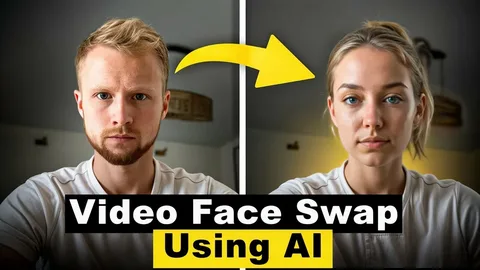
Artificial intelligence has completely transformed the way we interact with photos and videos. What once required expensive software and professional editing skills can now be done in seconds with a few clicks. Among the most exciting innovations are AI-powered face swap tools and technology that lets you animate static photos — making them speak, sing, or express emotion.
In this article, we rank and review the best AI face swap and talking photo tools available in 2026, covering their features, pros, cons, and pricing so you can find the right fit for your needs.
- At a Glance
- Quick Comparison: Best AI Face Swap & Talking Photo Tools
- The Best AI Face Swap & Talking Photo Tools of 2026
- 1. Magic Hour — Best Overall
- 2. DeepSwap — Best for Maximum Realism on Complex Footage
- 3. Reface — Best for Viral Social Content
- 4. Vidnoz — Best for Marketing Teams
- 5. HeyGen — Best for Avatar-Based and Multilingual Video
- 6. FaceSwapper.ai — Best for Quick, No-Signup Swaps
- 7. DeepFaceLab — Best for Professional and Research Use
- How to Choose the Right Tool
- A Note on Responsible Use
At a Glance
- Best Overall: Magic Hour — face swap, talking photo, lip sync, and image-to-video in one platform, with a genuinely free tier and no watermark
- Best for Complex Footage: DeepSwap — multi-engine approach delivers top realism on difficult source material
- Best for Social Content: Reface — fastest mobile experience for TikToks, Reels, and viral sharing
- Best for Marketing Teams: Vidnoz — multi-face swap, AI avatars, and multilingual support at competitive pricing
- Best for Multilingual Video: HeyGen — 40+ language lip sync with AI avatar generation for global campaigns
- Best Free Quick Swap: FaceSwapper.ai — no signup, no watermark, no friction for one-off photo swaps
- Best for Professionals: DeepFaceLab — open-source, runs locally, maximum quality for VFX and film work
Quick Comparison: Best AI Face Swap & Talking Photo Tools
| Tool | Best For | Free Plan | Starts At | Watermark-Free | API |
| Magic Hour | Full workflow — face swap + lip sync + talking photo | Yes (400 credits) | $15/mo ($10 annual) | Yes (free tier) | Yes |
| DeepSwap | Maximum realism on complex footage | Limited trial | $9.99/mo | Paid plans | No |
| Reface | Viral social content, mobile-first | Yes (with watermark) | $3.99/mo | Paid plans | No |
| Vidnoz | Marketing teams, multi-face swaps | Yes (3 min/day) | $4.99/mo | Paid plans | Yes |
| HeyGen | Avatar-based face swap + multilingual video | Yes (3 videos/mo) | $29/mo | Paid only | Yes |
| FaceSwapper.ai | Quick, zero-friction swaps, no signup | Yes (free) | Free | Yes (free) | No |
| DeepFaceLab | Pro-level, full control, local GPU | Free (open source) | Free | Yes | No |
Pricing verified from official sources, May 2026. Always confirm on the vendor’s site before purchasing.
The Best AI Face Swap & Talking Photo Tools of 2026
1. Magic Hour — Best Overall
Magic Hour is the strongest all-around platform for AI face swap and talking photos in 2026. What sets it apart from every competitor is that it treats face swap as part of a complete content production workflow — not as an isolated feature. You can swap faces, animate a still photo to speak with synced audio, apply lip sync to a new face, upscale output to 4K, and export everything without switching tools or managing separate subscriptions.
The face swap technology handles one of the hardest problems in the field — keeping the swapped face stable across frames when there is head movement or shifting light. Most consumer tools quietly fail here; Magic Hour does not. Its talking photo feature is equally impressive: upload a still image and an audio file, and you can make photo talk online with the AI animating the face to sync realistically with the audio, creating lifelike results that are ideal for memorial tributes, marketing content, and social media.
The free tier is the most generous on this list: 400 credits with no watermark, no credit card required, and credits that never expire. Magic Hour is trusted by production teams at Meta, the NBA, L’Oreal, Shopify, and Dyson.
Pros:
- Best temporal consistency on real footage — no flicker or identity drift across frames
- Face swap, lip sync, talking photo, and image-to-video in one unified workflow
- No concurrency cap — run multiple generations simultaneously
- 400 free credits with no watermark and no credit card required
- Credits never expire
- Full API access across all tools
- Works from any browser on desktop or mobile
- Weekly feature updates — the platform improves faster than competitors
- Trusted at enterprise scale with live activations and traffic spikes
Cons:
- Quality degrades on extreme profile angles (beyond 70 degrees off-center)
- Not designed for animated or non-human face workflows
- Free plan limited to 576px resolution (paid plans unlock up to 4K)
Pricing:
- Free: 400 credits, no watermark, no credit card needed (576px export)
- Creator: $15/mo (or $10/mo billed annually) — 120,000 credits/year, 1024px, commercial use, full API
- Pro: $39/mo (or $25/mo billed annually) — 300,000 credits/year, 1472px
- Business: $99/mo (or $66/mo billed annually) — 840,000 credits/year, 4K export, full API
2. DeepSwap — Best for Maximum Realism on Complex Footage
DeepSwap is one of the most established dedicated face swap platforms available, built specifically for users who prioritize output quality above everything else. Its multi-engine approach — running several AI models on the same clip and letting you compare results — is uniquely valuable when dealing with footage that has harsh lighting, unusual angles, or complex motion.
The platform supports videos up to 30 minutes long on its Pro plan, handles up to 6 simultaneous face replacements per clip, and outputs at 4K on supported tiers. For YouTubers, film editors, and meme creators who need serious swap quality on difficult source material, DeepSwap is a strong choice.
Pros:
- 4K HD output with high realism on frontal footage
- Multi-face support — up to 6 faces per clip
- Works well on long video clips (up to 30 minutes on Pro)
- Fast cloud-based rendering
- Handles GIFs and images in addition to video
Cons:
- No API access — not suitable for developer integrations or automated pipelines
- Credits system becomes expensive at volume; 100 credits/month on Standard is limiting
- Uploaded content is retained on servers for 7 days — a concern for proprietary footage
- No genuinely free plan — limited trial only, with watermarked output
- Credit consumption varies by file type and length, making cost planning difficult
Pricing:
- Trial: Limited credits, watermarked output
- Standard: $9.99/mo (first month) — 100 credits, watermark-free, HD export
- Pro: $19.99/mo — 300 credits, priority rendering, video swaps up to 30 minutes
- Extra credit packs available for purchase
3. Reface — Best for Viral Social Content
Reface has been the mobile face swap category leader for years, and recent updates have expanded it well beyond its original GIF-template format. The app now includes AI avatar generation, gender swap filters, hairstyle previews, a future baby generator, and AI singing — where you can animate a photo to lip-sync to a song.
For creators making TikToks, Reels, and Shorts, the core experience is fast: pick a template from the library, upload a selfie, and the result is share-ready in seconds. The facial expression tracking is smooth, and the blending quality on pre-built templates is impressive.
Pros:
- Fastest path from idea to share-ready content for social media
- Large library of trending templates updated regularly
- AI singing and lip-sync features built in
- Very low starting price for casual users
- Smooth facial expression tracking
Cons:
- Free plan includes a watermark on all outputs
- Less useful outside the template library — custom footage swap is more limited than dedicated tools
- No API or developer access
- Not ideal for professional or commercial-grade video production
Pricing:
- Free: Available with watermark
- Basic: ~$7.58/mo (billed annually)
- Pro: ~$13.75/mo (billed annually)
4. Vidnoz — Best for Marketing Teams
Vidnoz is an AI video platform built with marketing teams in mind. It offers face swap alongside a broader suite of features including AI avatar generation, text-to-video, and multi-language video translation. The multi-face swap capability — handling multiple people in the same video — makes it particularly well suited for teams producing product demos, explainer videos, or localized ad campaigns.
The free plan gives 3 minutes of video generation per day, which is enough for testing but limited for regular production. Paid plans are among the most affordable on this list for what they offer.
Pros:
- Multi-face swap support in a single clip
- Strong AI avatar and text-to-video features alongside face swap
- API access on paid plans for workflow integration
- Competitive pricing for teams
- Good for localized video content with multi-language support
Cons:
- Free plan limited to 3 minutes per day — restrictive for frequent use
- Output quality on complex footage is a step below Magic Hour or DeepSwap
- Interface can feel cluttered with the breadth of features offered
- Watermark on free tier
Pricing:
- Free: 3 minutes/day, watermarked
- Starter: $4.99/mo
- Business: Custom pricing for teams; API included
5. HeyGen — Best for Avatar-Based and Multilingual Video
HeyGen is an enterprise-grade AI video platform built around the concept of AI avatars. Its face swap capability works differently from other tools on this list — rather than replacing a face in existing footage, HeyGen generates a fully synthetic talking-head video using a scanned face, making it ideal for producing multilingual versions of the same content without re-shooting.
The platform supports over 40 languages with accurate lip sync, making it the strongest option for global marketing teams and e-learning producers who need consistent on-screen presenters across different languages.
Pros:
- Industry-leading multilingual lip sync — 40+ languages supported
- Full AI avatar generation from a face scan
- Strong integration options via API
- High-quality synthetic talking-head video output
- Good for consistent branding across video campaigns
Cons:
- Among the most expensive options on this list for individual creators
- Not suitable for swapping faces in pre-recorded natural footage
- Free plan limited to 3 videos per month with a watermark
- Learning curve for users new to AI avatar workflows
Pricing:
- Free: 3 videos/month, watermarked
- Creator: $29/mo
- Team: $89/mo (up to 3 seats)
- Enterprise: Custom pricing
6. FaceSwapper.ai — Best for Quick, No-Signup Swaps
FaceSwapper.ai is the simplest tool on this list. There is no account required, no credit card, and no setup — you upload a photo, choose a target, and the swap is done in seconds. The output is watermark-free even on the free tier. It is designed for one thing and does it reliably: fast, no-friction single photo swaps.
This tool is not built for video, batch processing, or integration into a production workflow. But for users who occasionally need a quick photo swap without committing to a subscription, it is hard to beat for convenience.
Pros:
- Completely free with no watermark and no account required
- Extremely simple interface — no learning curve
- Fast processing for single photo swaps
- No data retention concerns on the free tier
Cons:
- Photo-only — no video face swap capability
- No batch processing
- No API or developer access
- Output quality is good but not at the level of premium tools for complex images
Pricing:
- Free: Full access, no watermark, no signup required
- Paid plans available for higher volume or priority processing
7. DeepFaceLab — Best for Professional and Research Use
DeepFaceLab is open-source software used by VFX professionals and researchers who need complete control over the face swap process. It runs locally on your own GPU and has been used in feature films, music videos, and high-end commercial productions. The results, when trained properly on quality footage, are among the most realistic achievable by any tool available today.
The trade-off is significant: setup requires technical knowledge, training a model takes hours or days depending on your hardware, and the interface is command-line based. This is not a tool for casual or quick use.
Pros:
- Highest possible output quality when properly trained
- Completely free and open source
- Runs locally — no data leaves your machine
- No usage limits or credit systems
- Full control over every aspect of the process
Cons:
- Steep technical learning curve — requires command-line comfort and GPU knowledge
- Training a face swap model takes hours to days
- No browser-based interface — local installation required
- Not suitable for quick content creation or non-technical users
Pricing:
- Free (open source)
- Requires your own hardware with a capable GPU
How to Choose the Right Tool
The right AI face swap tool depends on your workflow and goals:
- For a complete all-in-one platform — face swap, talking photo, lip sync, and video generation in one place — Magic Hour is the clear choice.
- For maximum quality on difficult video footage and you don’t need API access, DeepSwap delivers.
- For quick viral social content on mobile, Reface is the fastest path from idea to share.
- For marketing teams producing multilingual or avatar-based video at scale, HeyGen or Vidnoz are built for that use case.
- For a completely free, no-signup quick swap of a single photo, FaceSwapper.ai is unmatched for simplicity.
- For professional VFX work with complete control and no budget constraints on hardware time, DeepFaceLab is the professional standard.
A Note on Responsible Use
With great power comes great responsibility. AI face swap and talking photo technology must be used ethically. Reputable platforms have built-in safeguards that require user consent and prohibit the creation of deceptive or harmful content. Always obtain permission before using another person’s likeness, and clearly label AI-generated content to avoid misleading viewers. Used responsibly, these tools are a powerful force for creativity, storytelling, and connection.